Click the sheet, not a form
Every part of the invoice opens where it stands — who is billing, who is billed, the work, the money — and the sheet redraws as you type.
Perly Invoice
Click any part of the sheet and edit it where it stands. Bill in dollars, euros or USDC, print a wallet and a bank account side by side, and take a real PDF — free, with no account.
Made for how you are paid
Every part of the invoice opens where it stands — who is billing, who is billed, the work, the money — and the sheet redraws as you type.
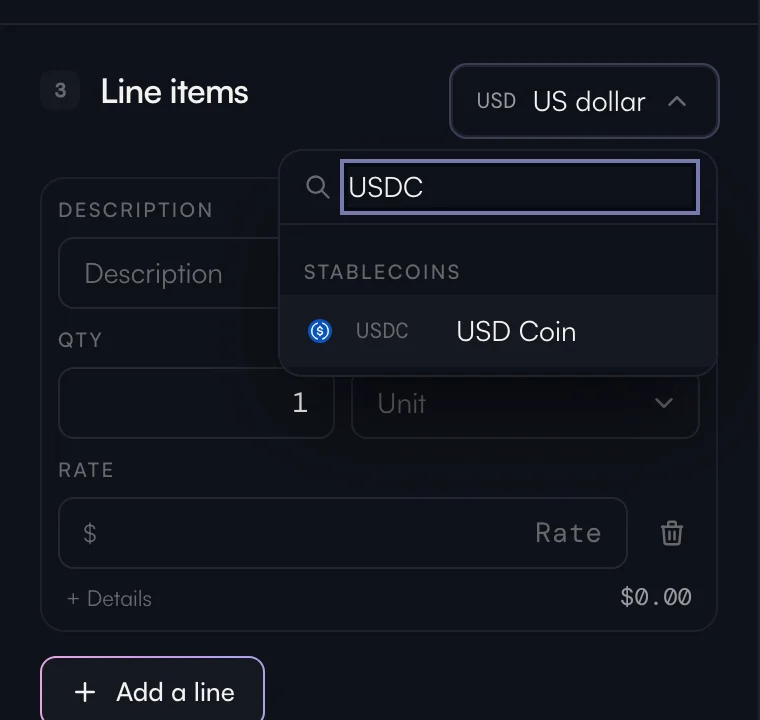
USDC and USDT lead the currency list, bitcoin is priced in the coin to the satoshi, and every ISO currency is there too.
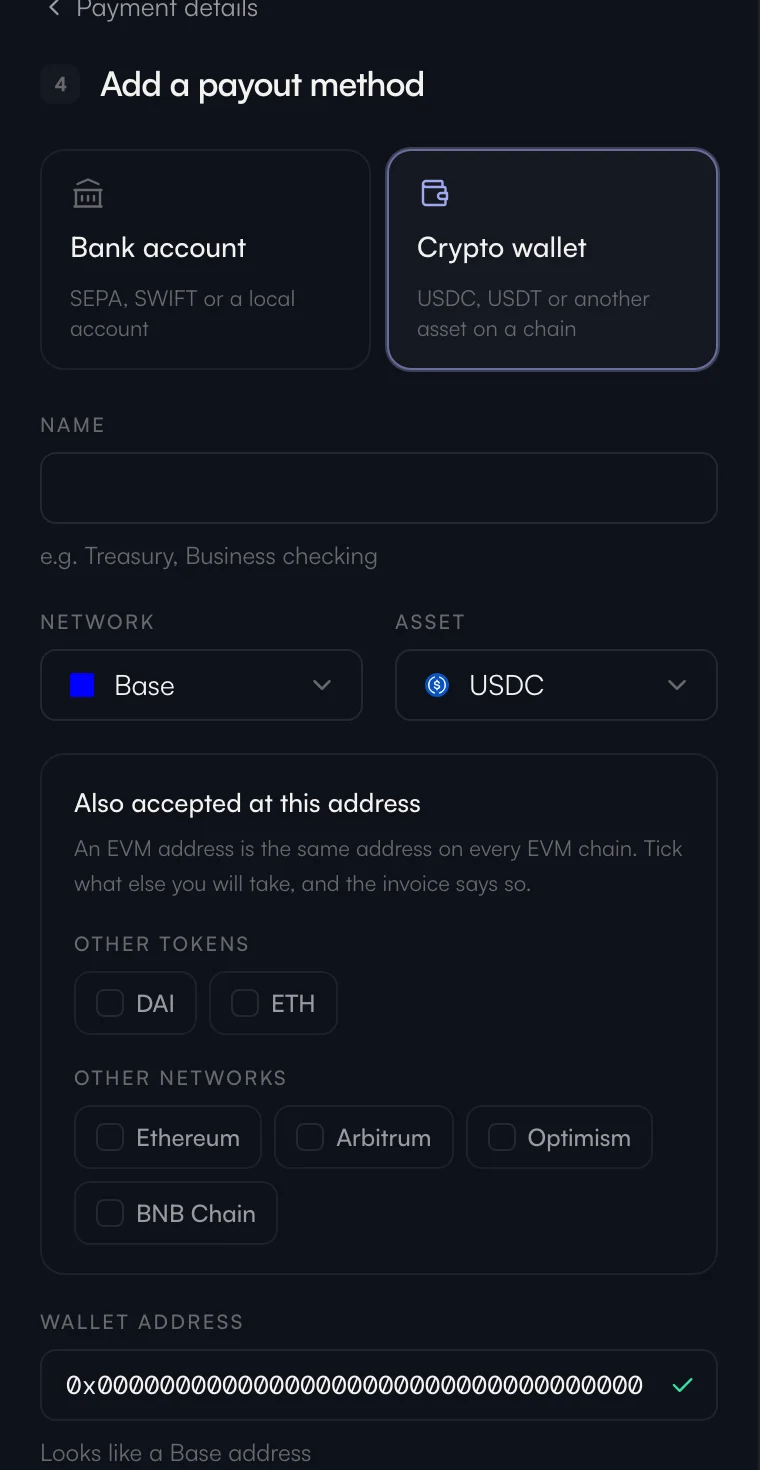
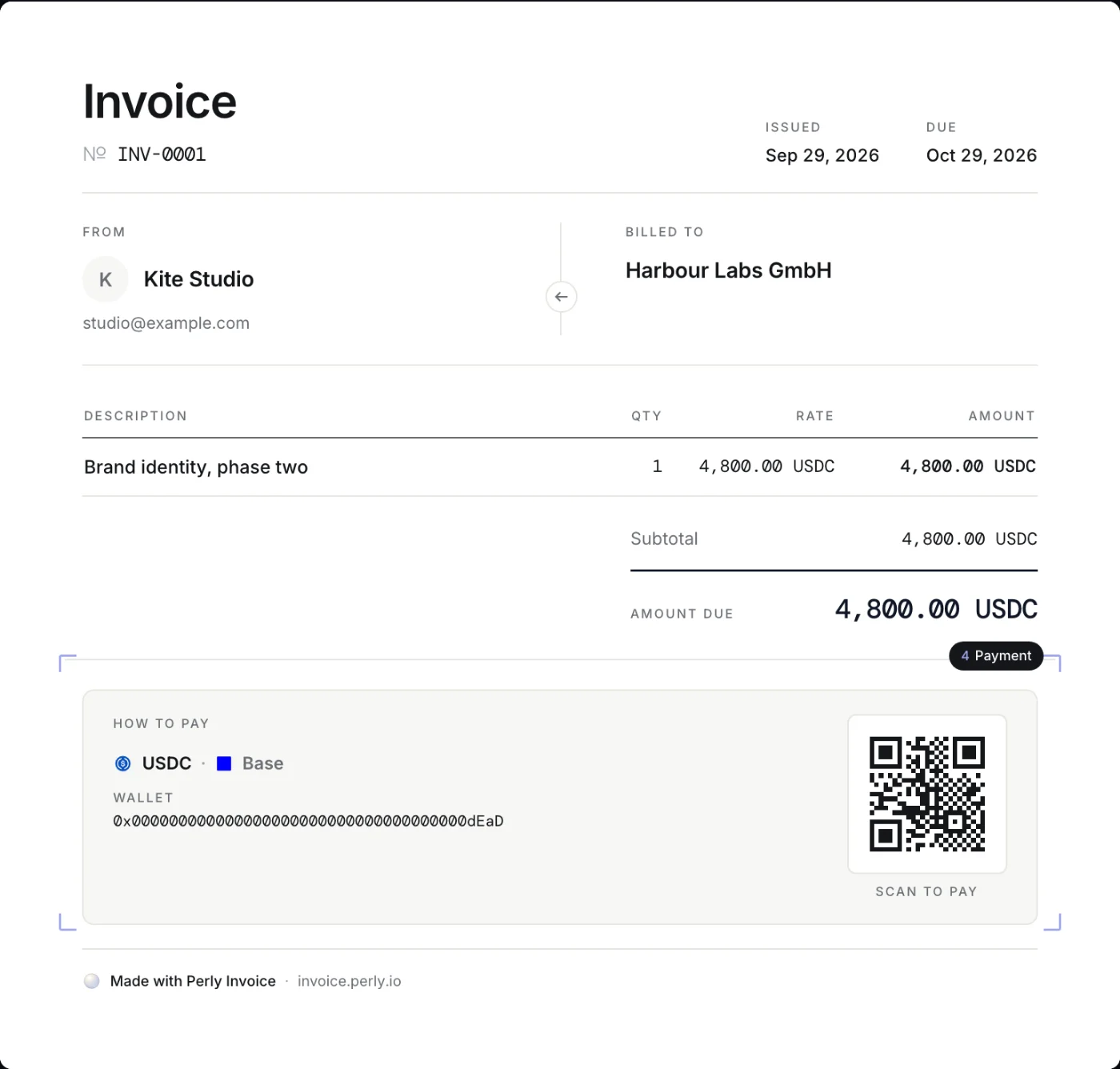
Print a wallet on its network and a bank account on the same invoice, with a code the payer's own app can scan.
The same document the other way round: a bill for money you owe, in the same editor, with the parties swapped.
How it works
Who you are, who you are billing, the work and the rate. Choose the currency — dollars, euros, USDC, bitcoin or any other.
Add a wallet on its network, a bank account, or both. An address is checked for its chain's shape before it is saved.
Download a real PDF straight away, free and without an account — or, with one, send a link your client opens without signing up.
With a free account
The same Perly account as the app and the charts. It remembers your details, numbers the series, and keeps the small ledger of what was sent, opened and paid.
Draft, unpaid, paid and void — with overdue worked out from the due date, never stored.
Each invoice gets a link. You see the moment your client opens it, and Telegram tells you when it is paid.
Switch it on and, about every ten minutes, Perly reads the address the invoice prints. Once exactly what is owed has landed and confirmed, Telegram says so and the invoice marks itself paid — for bitcoin, and for stablecoins on EVM chains.
Set it to repeat and each month brings a fresh draft with the next number — a draft, because nothing is sent without you.
Your money stays yours
Your client pays you directly, into your wallet or your bank, so there is no processor in the middle and no percentage taken on the way.
Yes, for everyone and for good. Perly Invoice takes no subscription and no share of what you are paid; the only limits are daily ceilings that stop a script from running up a bill.
Not to make an invoice and download its PDF. An account — the same one as Perly App — keeps your invoices, gives each one a link, and tells you when it is opened and paid.
No. Your client pays you directly, to the wallet or the bank account on the invoice. Perly Invoice makes the document and keeps its status; it never touches the payment.
Any ISO currency, plus USDC, USDT and DAI — and bitcoin, ether, SOL and BNB, priced in the coin itself.
No. You send the link or the PDF yourself, from your own address. A reminder opens your own mail, already written.
English or Ukrainian, chosen for each document on its own — and the editor itself speaks the same two.